
Let’s be honest, writing professional emails is one of those tasks that sounds simple until you’re staring at a blank screen, trying to strike the right balance between polite and assertive, concise and thorough. I’ve been there more times than I can count: drafting an email to a client, rewriting it three times, second-guessing my tone, and still feeling uncertain about whether it comes across as competent or just cold. That’s where AI email writing tools have quietly changed the game for me and for thousands of professionals across industries.
These aren’t sci-fi gimmicks; they’re practical assistants built into the workflows we already use every day. Over the past two years, I’ve tested nearly every major AI-powered email tool out there, from standalone platforms to browser extensions and native integrations in Gmail and Outlook. What started as curiosity has turned into reliance. But like any tool, they work best when you understand their strengths, limitations, and ethical boundaries.
Why We Need Help Writing Professional Emails
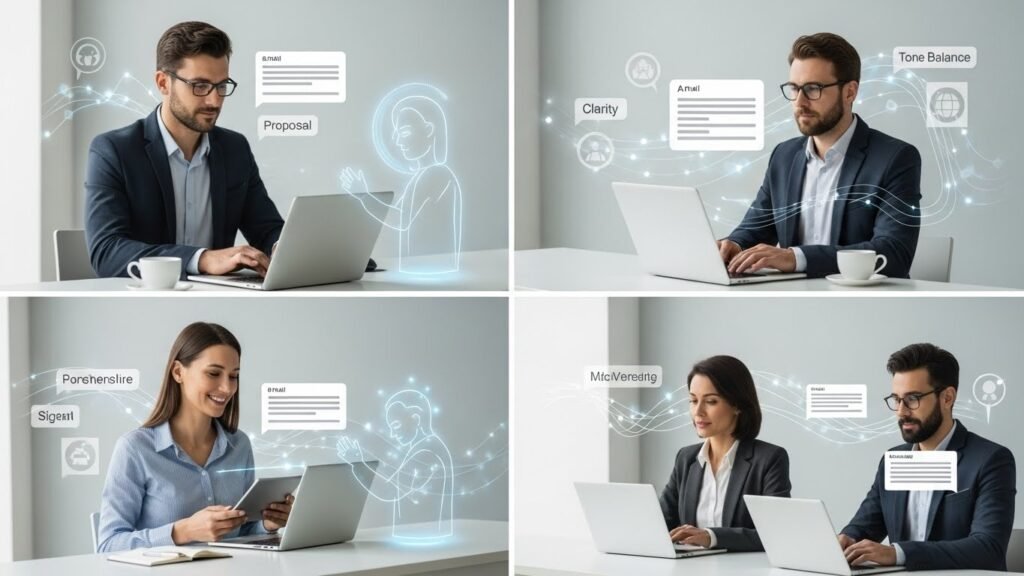
Email remains the backbone of business communication. Whether you’re pitching investors, following up with a vendor, or coordinating with your team, your words shape perception. A poorly worded message can derail a deal; a polished one can open doors. Yet, most of us aren’t trained writers. We juggle clarity, tone, urgency, and professionalism under time pressure. That’s exhausting.
Enter AI. Tools like GrammarlyGO, Jasper, Writesonic, and Google’s Duet AI analyze language patterns from millions of high-quality emails to generate drafts that sound natural, professional, and context-aware. They don’t just fix grammar, they suggest phrasing, restructure sentences, and even adapt tone based on your intent (e.g., more formal, friendly but professional).
How These Tools Actually Work in Practice

I remember using one such tool during a particularly hectic week when I had to send 15 follow-up emails after a product launch meeting. Instead of starting each from scratch, I typed bullet points into an AI assistant: Follow up on pricing discussion, ask for timeline, offer case study. Within seconds, I had a clean, well-structured draft that read like something I’d spent 20 minutes polishing.
The real power lies in personalization at scale. For example, when I was managing outreach for a freelance content project, I needed to send tailored proposals to eight different clients. Using an AI tool integrated with my CRM, I pulled in each client’s name, recent blog topics, and pain points. The AI generated customized opening lines and value propositions, something that would’ve taken hours manually.
But here’s what no marketing copy will tell you: these tools aren’t magic. They’re only as good as the input you give them. Garbage in, garbage out still applies. If you feed it vague prompts like write a nice email, you’ll get generic fluff. But if you say, Draft a polite but firm reminder to Client X about overdue payment, referencing invoice #1234 and offering a 5-day extension, the output is often impressively precise.
Real Benefits (and Real Caveats)

From experience, the top benefits are:
- Time savings: Cutting draft time by 50–70% isn’t unusual.
- Consistency: Maintaining a professional tone across teams, especially in growing companies.
- Overcoming writer’s block: Just getting started is half the battle.
- Language support: Non-native English speakers gain confidence in international communication.
But there are red flags too.
First, over-reliance. I’ve seen colleagues send AI-generated messages without reviewing them, only to realize later the tool misinterpreted a deadline or used an outdated client name pulled from old data. Automation shouldn’t mean abdication.
Second, tone misfires. While AI is great with standard business language, it sometimes misses nuance. Once, an AI suggested ending a condolence email with Looking forward to our next steps! a chilling reminder that machines don’t truly understand emotion.
Third, data privacy. Many AI tools require access to your inbox or cloud storage. Before adopting one, I always check where data is processed and stored. For regulated industries (healthcare, finance), this isn’t just caution, it’s compliance.
Choosing the Right Tool

Not all AI email tools are created equal. Here’s how I evaluate them:
- Integration: Does it work seamlessly with Gmail, Outlook, or your existing workflow? Clunky add-ons slow you down.
- Customization: Can you train it on your voice? Some tools allow you to upload past emails, enabling the AI to learn your style.
- Control: Do you retain full editing rights? Avoid anything that locks you into proprietary formats.
- Security: Is end-to-end encryption offered? Are servers based in GDPR-compliant regions?
For solopreneurs and freelancers, I recommend starting with free tiers, such as Grammarly or HubSpot’s AI email writer. They’re intuitive and safe. Larger teams might benefit from enterprise solutions like Microsoft Copilot for Outlook, which ties into Teams and SharePoint.
Ethical Use Matters
There’s an unspoken tension around AI in professional writing: authenticity. Should you disclose when an email is AI-assisted? Most experts say no, but with a caveat. As long as the message reflects your intent and you’ve reviewed it thoroughly, it’s no different than using a spellchecker.
But passing off fully automated, impersonal blasts as personal communication? That erodes trust. I apply a simple rule: if the recipient would feel misled knowing an AI wrote it, then I rewrite it myself.
The Future Isn’t Fully Automated, It’s Augmented
Despite the hype, I don’t believe AI will replace human email writers. It will, however, redefine what we do. Instead of spending hours drafting, we’ll spend minutes refining, focusing on strategy, empathy, and relationship-building. The bot writes the first draft; we bring the judgment.
In fact, the most effective users I’ve observed treat AI like a junior colleague: they delegate routine tasks, provide clear direction, and always review the output before hitting send.
Final Thoughts
AI email writing tools won’t make you a better communicator overnight. But they can remove friction, reduce stress, and help you present your best self on days when you’re overwhelmed, tired, or just not feeling inspired. Used wisely, they’re less about replacing skill and more about amplifying it.
Just remember: the goal isn’t to sound like a machine. It’s to sound like the best version of yourself with a little help.
FAQs
Q: Are AI-written emails detectable?
A: Not usually. Most professional tools generate natural-sounding text that blends with human writing. However, overly generic phrasing or tone errors can sometimes raise suspicion.
Q: Can AI tools write emails in different languages?
A: Yes, many support multiple languages, though accuracy varies. English tends to be strongest; less common languages may need extra review.
Q: Do I need technical skills to use these tools?
A: No. Most are designed for non-technical users with drag-and-drop interfaces and simple prompts.
Q: Are free AI email tools reliable?
A: Free versions often have limits (e.g., character count, features), but they’re great for testing. Always upgrade cautiously, considering security and scalability.
Q: Can AI personalize bulk emails effectively?
A: Yes, when integrated with CRM data. But ensure personalization feels genuine, not just inserting a name into a template.
Q: Should I worry about AI making my emails sound robotic?
A: Only if you don’t edit. Always tweak AI drafts to reflect your voice, add specifics, and ensure emotional appropriateness.

Related Posts