There’s a particular kind of frustration that anyone who has worked in a document-heavy environment knows all too well. You’re staring at a 90-page contract, hunting for one specific clause. Or you’ve got a scanned report from a client, slightly blurry, handwritten notes in the margins, and you need to extract actual usable data from it. These aren’t edge cases.
They’re the daily grind of lawyers, researchers, HR professionals, finance teams, and academics everywhere. That’s exactly what makes the rise of AI-powered PDF tools such a significant shift in modern work life. Not just an upgrade, but a genuine rethinking of how we interact with documents.
The PDF Problem Nobody Talks About

PDF was invented by Adobe back in 1993. With more than 3 trillion PDFs in circulation today, it has since become the standard for the world’s most important information. And yet for decades, working with PDFs felt like trying to edit a photograph; the content was there, but touching it was unnecessarily complicated. Basic PDF editors allow you to annotate, compress, or convert files.
Fine. But they didn’t understand your documents. They couldn’t tell you what a contract was actually saying, pull financial figures from a table, or flag inconsistencies in a legal brief. You had to do all of that yourself, manually, page by page. The introduction of AI into the PDF workflow changes that relationship entirely.
What AI PDF Tools Actually Do
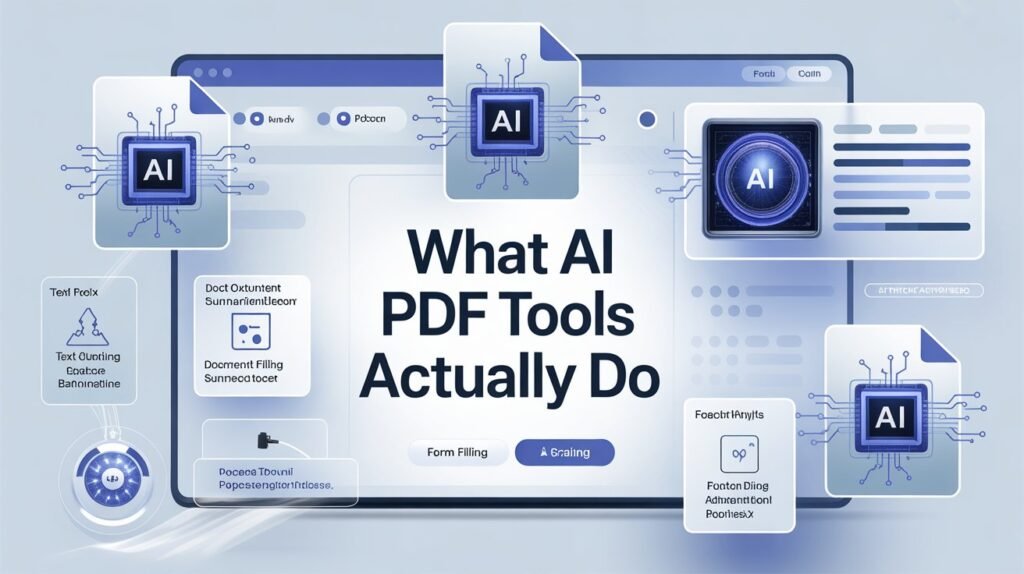
3 Think of an AI PDF tool as a smart assistant that lives inside your documents. It uses artificial intelligence, specifically, natural language processing (NLP), to read and understand the content of your PDF files. Instead of you having to sift through a file manually, the tool does the heavy lifting. Instead of spending time manually editing documents, searching for key details, or organizing pages, AI-driven tools handle these tasks for you. For example, AI can recognize text in scanned documents, suggest formatting improvements, and even summarize lengthy reports.
That might sound straightforward, but the real-world implications are pretty profound. Imagine a compliance officer who used to spend entire afternoons combing through vendor agreements. With an AI PDF tool, they can ask the document questions in plain English: What are the termination clauses? or “Does this contract include an auto-renewal provision? and get answers in seconds, with citations pointing directly to the source. Whether you’re a student, researcher, lawyer, or business professional, these tools can dramatically improve your productivity through automatic summarization, conversational reading, data extraction, and structural analysis.
Key Features That Are Actually Useful
1. Smart Summarization
Long documents are a time sink. A 200-page environmental impact report, a dense academic dissertation, a multi-chapter policy manual, nobody has unlimited hours to absorb all of it. If you don’t have time to read through pages of text, AI summarization tools pull out the key points so you can get the information you need in seconds. And if you spend most of your time reviewing contracts, research papers, or long reports, this feature makes life much easier. AI-generated summaries pull out the key points, so you can make informed decisions quickly without having to sift through pages of information.
2. Conversational Document Interaction
This one genuinely feels like a paradigm shift. You can ask your PDF questions, like What’s the methodology of this paper? Or what are the key findings in Chapter 3? and get instant, cited answers. AI tools that enable conversations with PDF documents are revolutionizing how we interact with information, allowing users to ask questions, generate summaries, and extract specific data without manually scanning through lengthy texts.
Adobe’s Acrobat AI Assistant, for example, automatically recognizes contracts and tailors the experience to surface key terms. That’s the kind of context-aware intelligence that makes these tools genuinely useful rather than just impressive demos.
3. Optical Character Recognition (OCR) But Smarter
Optical Character Recognition (OCR) converts images and PDFs into searchable, editable text, making it easy to update files without starting from scratch. If your business deals with a mountain of paperwork, this feature is designed to give you that time back.
Modern AI-enhanced OCR goes further than older versions. It helps you go through documents quickly, so you can spend less time on the manual bits and more time on what actually matters. Plus, it can even read handwriting, which can be helpful when digitizing old notes.
For industries like healthcare, insurance, and real estate, where physical paperwork is still very much a reality, this is a massive operational advantage.
4. Intelligent Editing and Formatting
Unlike regular PDF tools, AI-powered solutions do more than just the basics. They can recognize how the documents are laid out, make searching faster and easier, and even suggest edits to make text read better. For businesses drowning in paperwork, this means less time fixing mistakes and more time getting things done. Using AI, professionals can adapt standard templates to specific clients, reducing customization time significantly. When creating technical documents, AI can simplify complex language for different readers without multiple rounds of revisions.
5. Automated Redaction and Security
AI-powered redaction tools automatically detect and remove sensitive data, helping you stay compliant and protect privacy. With AI, redaction isn’t just about blacking out text; it ensures that data is completely removed from the document, preventing unauthorized access.
This is particularly critical in legal, medical, and government sectors, where exposing a patient record or a confidential witness name isn’t just embarrassing it’s potentially catastrophic. AI-driven security features help organizations maintain compliance with regulatory requirements by automatically detecting potential security threats in documents.
6. Data Extraction at Scale
AI tools can pull structured data from tables, reports, or invoices and export them into Excel or CSV for further analysis. Think about what this means for an accounts payable team processing thousands of vendor invoices a month. Instead of manually entering line items, the tool extracts them automatically, flags anomalies, and prepares data for your ERP system. Hours of labor, gone.
Real-World Use Cases Worth Knowing
Legal Teams: Contract review is one of the most obvious and immediate applications. If you work with contracts, legal paperwork, or large reports, AI PDF software can help you work smarter not harder by automating tedious tasks and ensuring accuracy.
Researchers and Academics: Using AI tools, researchers can create quick summaries of research papers before reading them in full, which saves hours of initial reading time. They can upload multiple PDFs for big projects and ask questions across all documents to find connections they might otherwise miss. The AI pulls out specific data and citations, cutting literature review time significantly.
Business Teams: Modern work environments demand cloud-based collaboration. With AI-powered PDF tools, you can edit in real time and access cloud storage on the go, boosting your team’s productivity.
Adobe’s newer platform, Acrobat Studio, takes this further by transforming PDFs into conversational knowledge hubs that enable people to use customizable AI Assistants to unlock and share insights, answers, and recommendations.
The Platforms Leading the Space
Several tools have emerged as consistent performers. The best PDF AI editors include AskYourPDF, Adobe Acrobat Pro with AI, PDFelement Pro, Kofax Power PDF, and Foxit PDF Editor. These smart PDF tools turn static PDFs into dynamic, editable content using intelligent text recognition and understanding. PDFelement enhances traditional PDF editing with AI-driven tools. Features include options to chat with PDFs, summarize content, rewrite or proofread text, translate documents, check grammar, and even detect AI-generated content. Its OCR technology supports 23 languages, turning scanned PDFs and images into fully searchable and editable files. The best AI PDF software also works seamlessly with other essential business applications such as Microsoft Teams, Google Workspace, Salesforce, and SharePoint. That integration piece matters more than people realize a tool that forces you to break your workflow isn’t actually saving time.
On the privacy front, it’s worth noting that with Adobe’s AI Assistant, your content stays yours because it’s never used to train Adobe’s AI models. Your documents, chats, and interactions are fully protected. Plus, AI responses are always cited back to your source documents for full transparency.
Limitations You Should Know About
No technology is without its rough edges. AI PDF tools, for all their power, have real limitations that anyone relying on them professionally should understand.
First, accuracy isn’t guaranteed. While these tools are impressively capable with well-structured, cleanly formatted documents, they can struggle with poorly scanned files, non-standard layouts, or documents with heavy graphical content. Always verify critical extracted data against the original source.
Second, context has boundaries. Most AI PDF tools are limited to the content within your PDFs and can’t pull information from your other business systems. That means they’re not a replacement for your CRM, your contract management system, or your institutional knowledge.
Third, pricing tiers matter. AI features are often only available in the most expensive versions of PDF software. Free plans typically come with usage caps, file size limits, or restricted features. For occasional users, that’s fine. For teams with high document volume, pricing can add up quickly.
And then there’s the security question. Uploading sensitive documents to any cloud-based service requires trust. Always review a tool’s data privacy policy before using it with confidential client information, trade secrets, or anything regulated under HIPAA, GDPR, or similar frameworks.
The Bigger Picture
AI-powered PDF editors have redefined how we interact with documents, offering advanced features beyond basic editing. Whether you need to modify text, extract data, or collaborate on files, these tools provide intelligent solutions for various tasks.
The direction these tools are heading is toward something more like a document intelligence layer a system that doesn’t just respond to your queries but proactively surfaces relevant information, tracks changes across document versions, and integrates seamlessly into larger enterprise workflows. The next wave includes interactive PDFs you can query, semantic exports that understand their own structure, and fully integrated publishing platforms that go from creation to analytics.
For now, the practical takeaway is simple: if document-heavy work is part of your professional life, the time savings from adopting a capable AI PDF tool are real, measurable, and often immediate. The learning curve is low. The return on investment is high.
FAQs
Q: Are AI PDF tools safe to use with confidential documents?
A: It depends on the platform. Reputable tools like Adobe Acrobat offer clear data protection policies and don’t use your documents to train their models. Always review the privacy policy before uploading sensitive files.
Q: Can AI PDF tools read scanned or handwritten documents?
A: Yes. Advanced OCR technology in modern AI PDF tools can convert scanned images into searchable text and, in many cases, even interpret handwritten notes though accuracy varies with image quality.
Q: Do I need technical skills to use AI PDF tools?
A: Not at all. Most tools are designed with intuitive interfaces where you simply upload a document and type questions in plain English. No technical background required.
Q: What’s the difference between a regular PDF editor and an AI PDF tool?
A: A regular editor lets you add text, annotate, or convert files. An AI PDF tool actually understands the document’s content it can summarize, answer questions, extract data, and even suggest edits based on context.
Q: Can AI PDF tools work with multiple documents at once?
A: Many can. Tools like Adobe Acrobat’s PDF Spaces allow you to combine up to 100 files and query them simultaneously, which is particularly useful for research, audits, or legal discovery.
Q: Are there free AI PDF tools available?
A: Yes, several tools offer free plans, including ChatPDF, AskYourPDF, and LightPDF. However, free tiers often come with limitations on file size, number of documents, or monthly usage. For professional use, a paid plan usually offers significantly more value.
Q: Will AI PDF tools replace human document review?
A: No and they shouldn’t be treated as a substitute. They’re best used as a productivity layer that handles routine tasks faster, freeing up human expertise for judgment-intensive work like interpretation, strategy, and decision-making.

Related Posts